Community app prototype template
A community app usually needs 4 core pages: Feed, Post detail, Compose, Profile. The main flow is Browse the feed → Engage on a post → Publish a post → View your profile. Below are the modules and interactions per page, the states reviewers ask about and the rules your PRD should spell out. One click generates this prototype in popop-draw, with every element editable by hand.
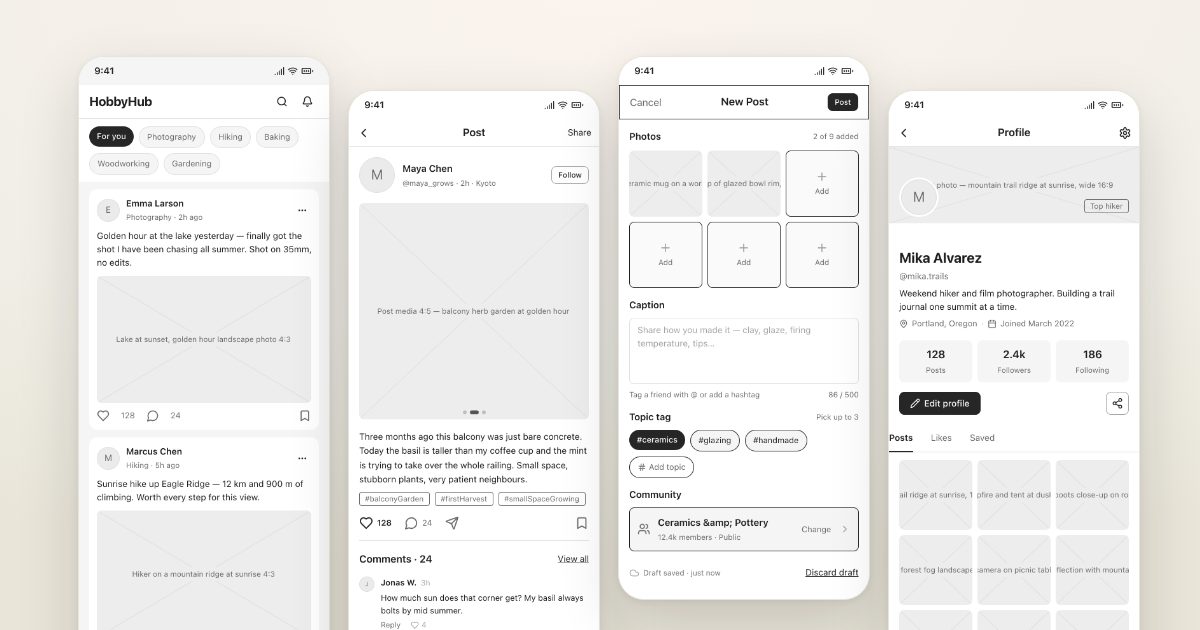
A hobby community app with feed, post detail, compose and profileGenerate this prototypeRuns in your browser · 1.25M free tokens
Who it is for
PMs working on content communities, social and UGC products.
Pages
| Page | Main modules | Key interactions |
|---|---|---|
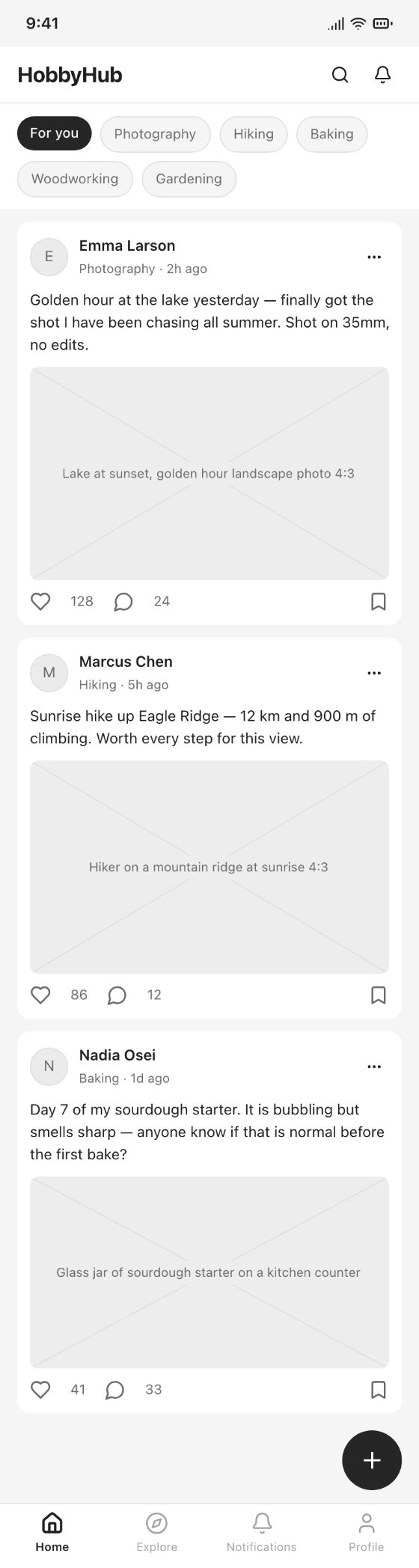
| Feed | Channel tabs, post cards, bottom tab bar | Pull to refresh; open a post |
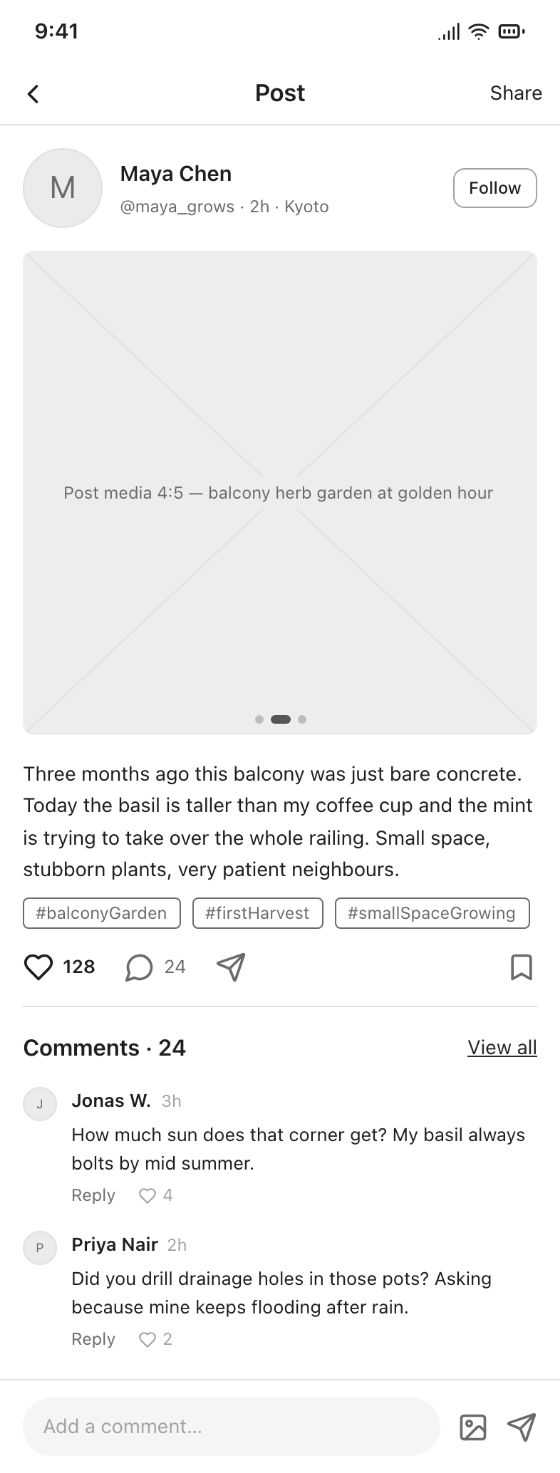
| Post detail | Content, author and follow, like and save, comments, comment box | Like, comment, share |
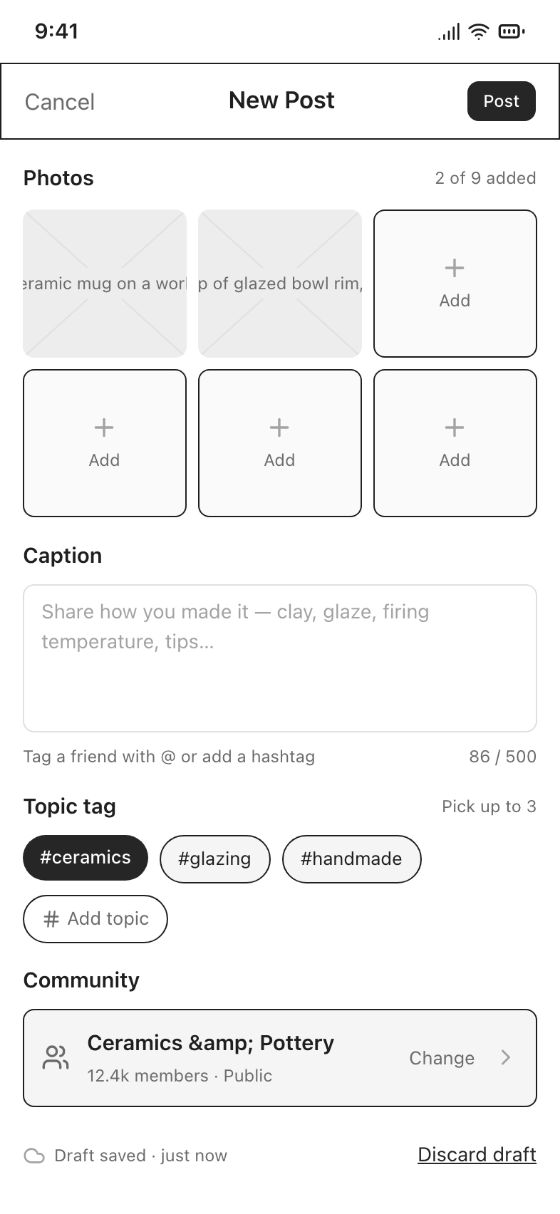
| Compose | Images, title, body, topics, settings | Publish and return to feed |
| Profile | Avatar, bio, followers and likes, posts and saved tabs | Edit profile, follow |
What it generates
These wireframes were generated by popop-draw from the prompt above in one go, with no manual edits. Every element can be clicked and edited, or polished into high fidelity in one step.
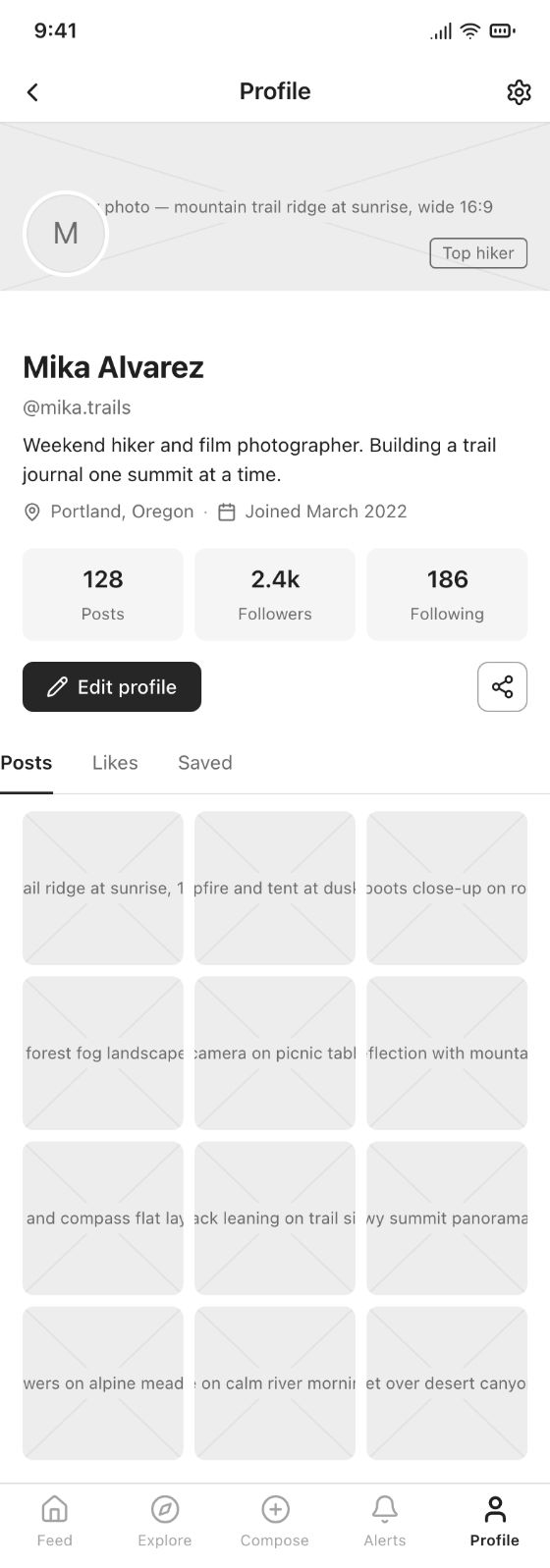
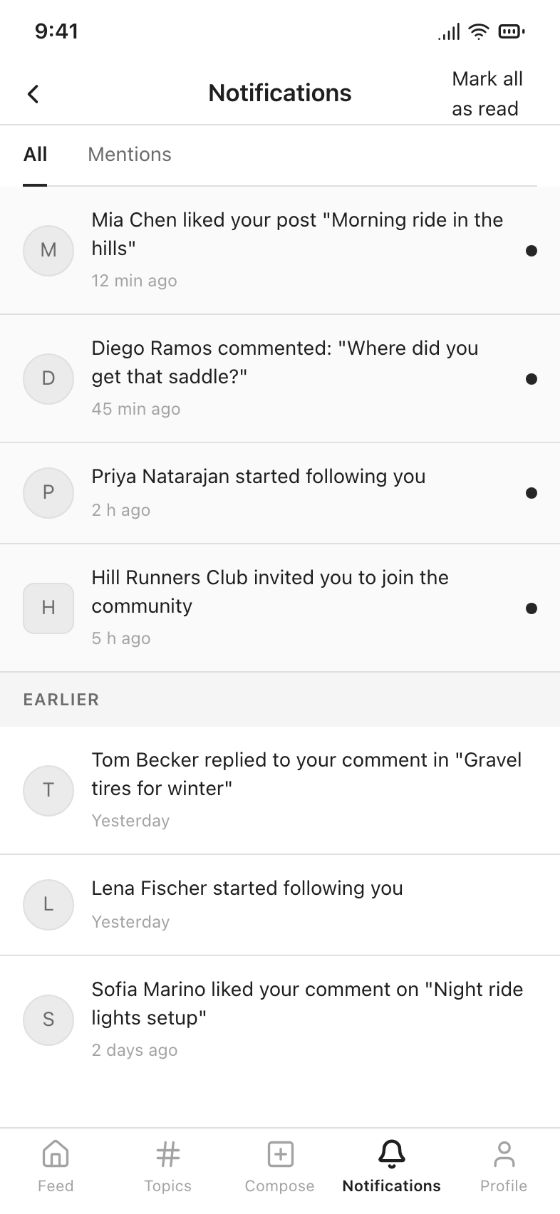
Main flow
- Browse the feed
- Engage on a post
- Publish a post
- View your profile
Easy-to-miss states
Reviewers ask about these first. popop-draw's Design check-up finds missing empty, error and overflow states for you.
- Empty feed for new users
- Deleted or under-review posts
- No comments yet
- Content policy warnings
- Network retry
Rules your PRD should cover
- Feed ranking
- Moderation flow
- Notification rules
- New-user interest picker
Generate it in popop-draw
- Click the button below; "A hobby community app with feed, post detail, compose and profile" is filled in and generation starts.
- In seconds you get a multi-page prototype with links and demo effects wired.
- Click any button, text or color to edit, or tell the AI what to change.
- Run Check-up and Role walkthrough, then export HTML, images or a PRD.
FAQ
Does it cost anything?
Free during the beta, with 1.25M AI tokens on sign-up. Usage depends on page count and complexity; manual edits use no tokens.