E-commerce admin dashboard prototype template
A e-commerce admin dashboard usually needs 4 core pages: Overview, Order list, Order detail, Products. The main flow is Sign in to the overview → Open orders from to-dos → Filter and open an order → Ship or refund → Adjust stock in products. Below are the modules and interactions per page, the states reviewers ask about and the rules your PRD should spell out. One click generates this prototype in popop-draw, with every element editable by hand.
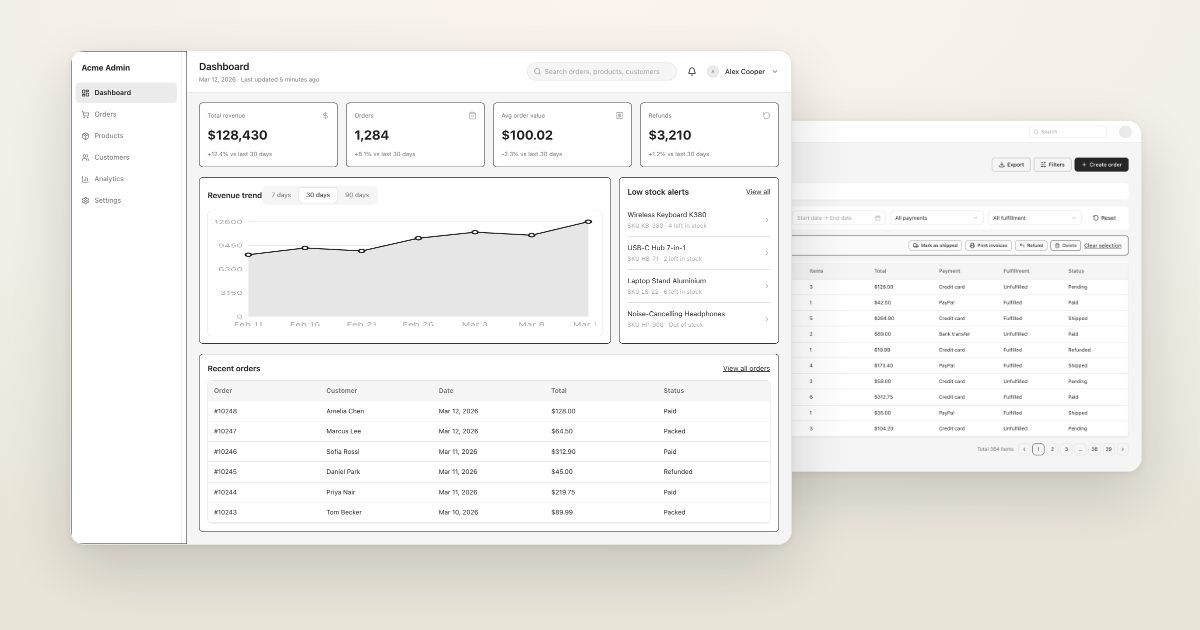
An e-commerce admin with overview, order list, order detail and product managementGenerate this prototypeRuns in your browser · 1.25M free tokens
Who it is for
PMs working on B2B, back-office and SaaS admin products.
Pages
| Page | Main modules | Key interactions |
|---|---|---|
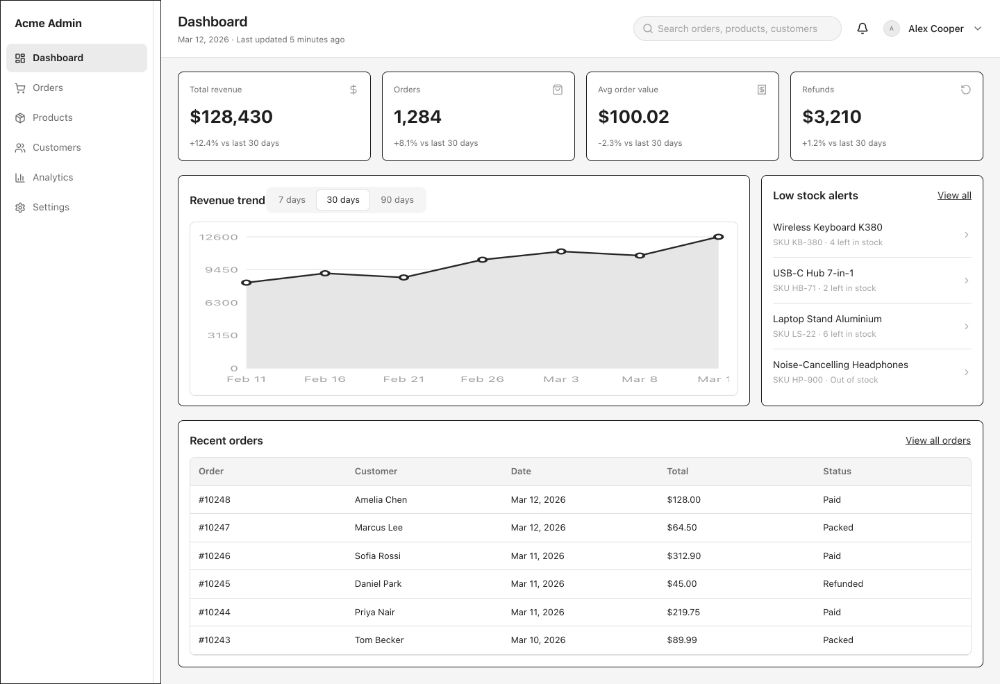
| Overview | Sales, orders, visitors and conversion cards, trend chart, to-do list | Change date range; jump from to-dos to lists |
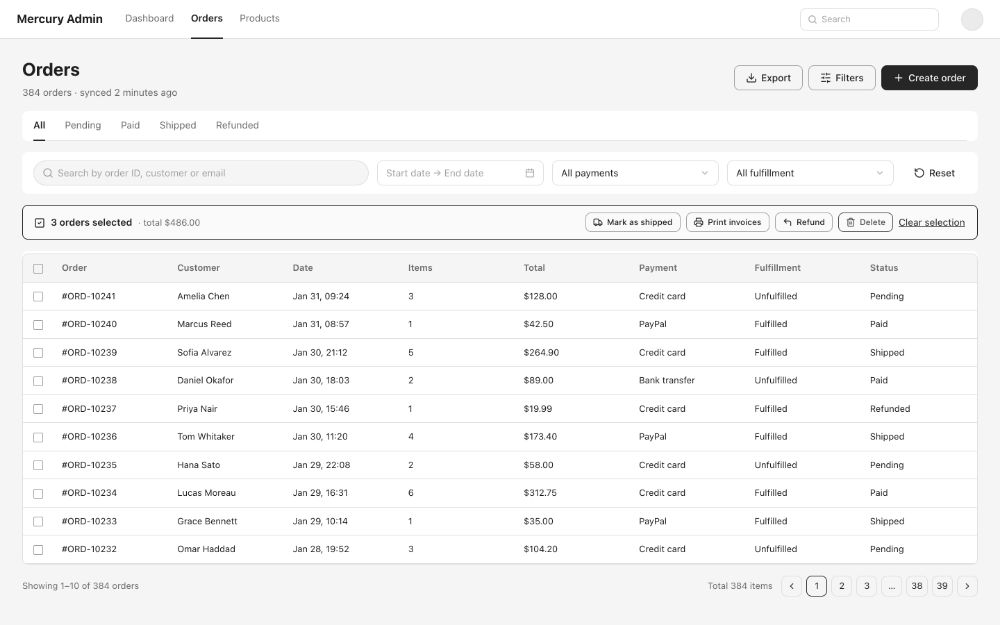
| Order list | Filters, search, table, pagination, bulk actions | Filter, export, bulk ship |
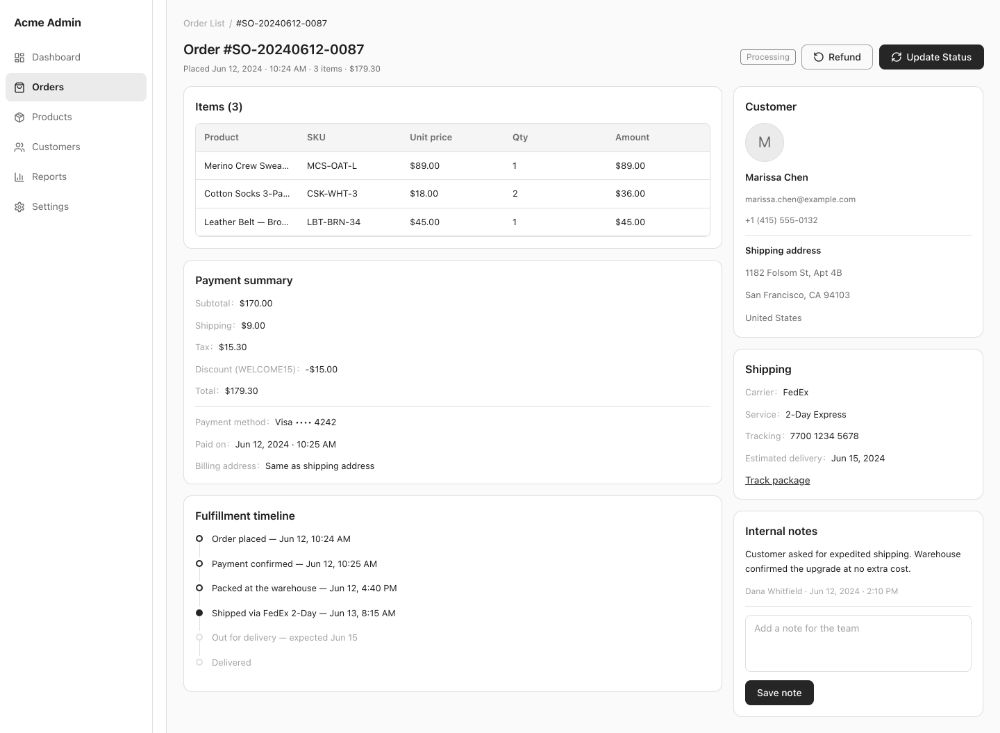
| Order detail | Order, shipping, items, payments, logistics, activity log | Ship, refund, add note |
| Products | Product table, publish/unpublish, edit form | Create / edit products; low-stock alerts |
What it generates
These wireframes were generated by popop-draw from the prompt above in one go, with no manual edits. Every element can be clicked and edited, or polished into high fidelity in one step.
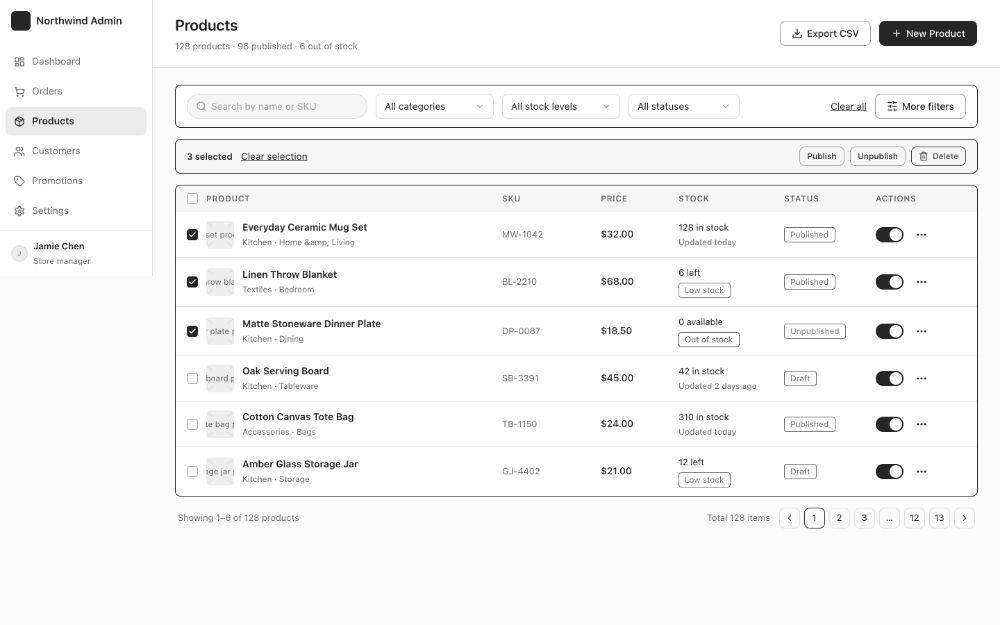
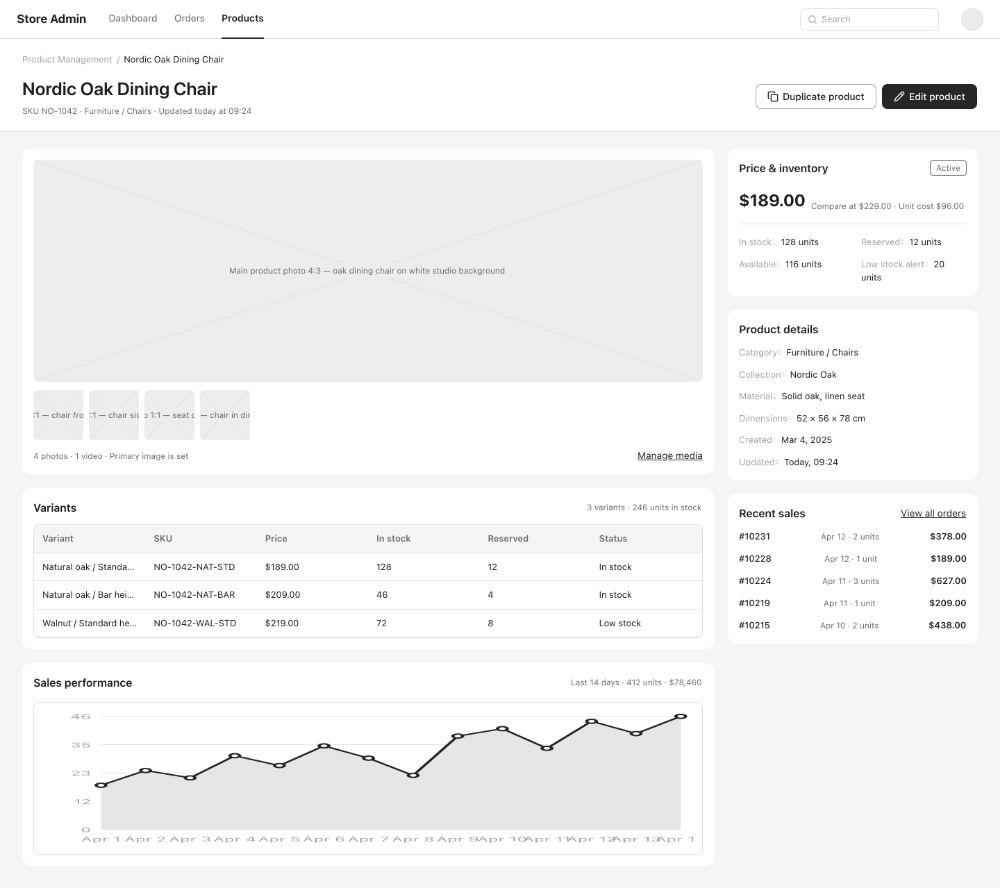
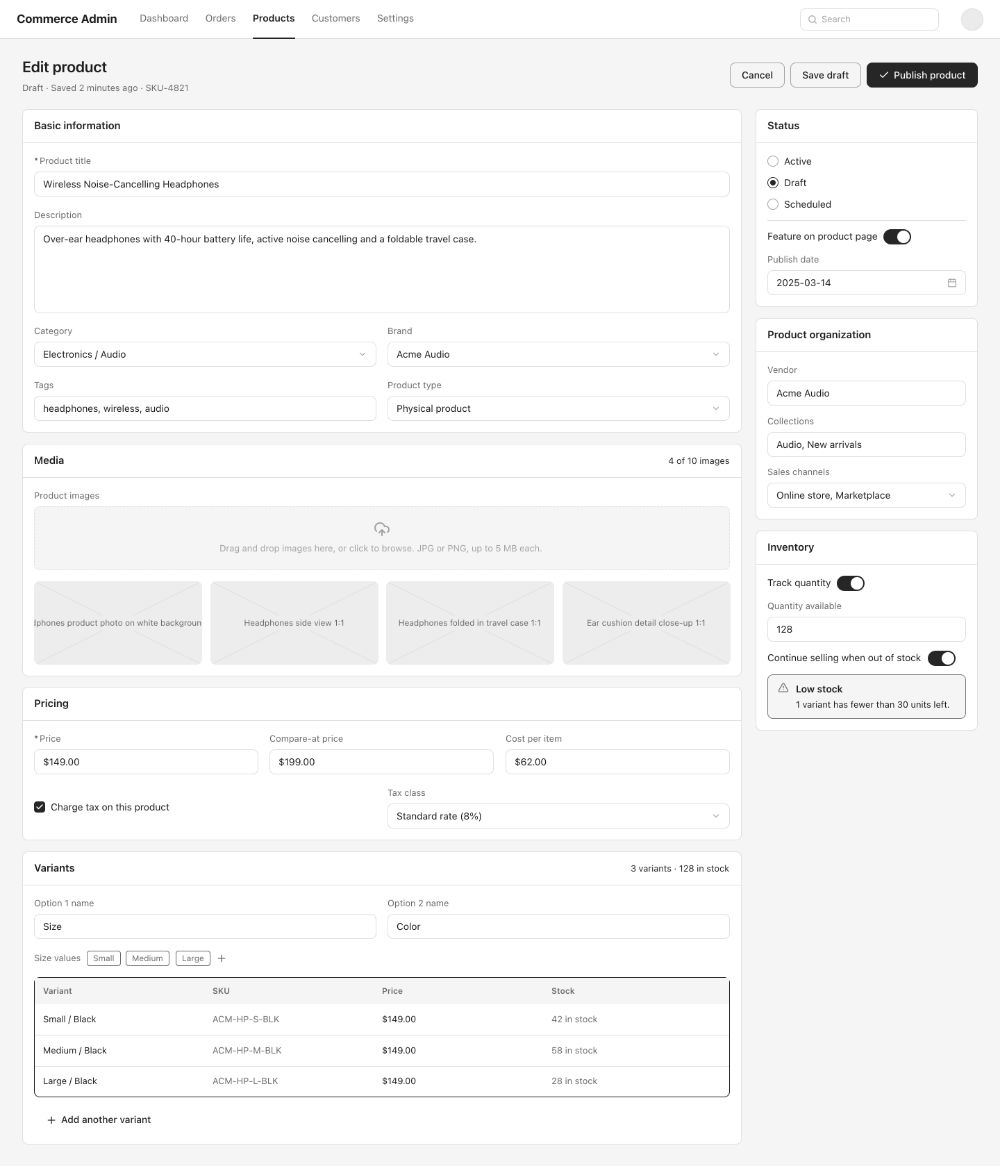
Main flow
- Sign in to the overview
- Open orders from to-dos
- Filter and open an order
- Ship or refund
- Adjust stock in products
Easy-to-miss states
Reviewers ask about these first. popop-draw's Design check-up finds missing empty, error and overflow states for you.
- Empty table, no filter results
- Loading and load errors
- Confirm bulk actions
- No permission
- Truncation rules for long fields
- Delete warnings
Rules your PRD should cover
- Roles and permissions
- Order state transitions and refund rules
- Default sort and page size
- Export scope and format
Generate it in popop-draw
- Click the button below; "An e-commerce admin with overview, order list, order detail and product management" is filled in and generation starts.
- In seconds you get a multi-page prototype with links and demo effects wired.
- Click any button, text or color to edit, or tell the AI what to change.
- Run Check-up and Role walkthrough, then export HTML, images or a PRD.
FAQ
Does it cost anything?
Free during the beta, with 1.25M AI tokens on sign-up. Usage depends on page count and complexity; manual edits use no tokens.